What is it?
- Online database (PostgreSQL)
- Automatic API, so website + apps can read/write data
- Built-in logins and file storage
- One project can power a website, iOS app and Android app
Cost
- Free: 2 projects, 500 MB. Pauses after ~1 week of no activity. No backups.
- Pro: from ~$25/month. No pausing, daily backups.
- Check current prices: supabase.com/pricing
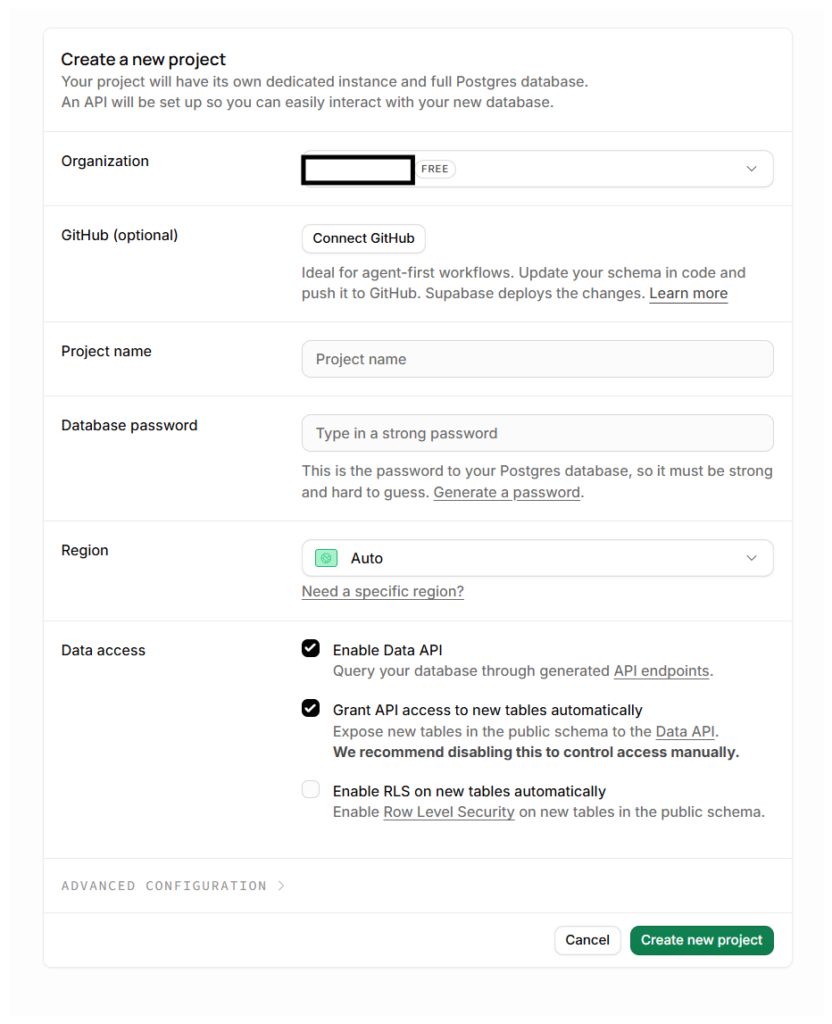
Create a project
- Sign up at supabase.com
- Click New project
- Password: generate, copy, save it somewhere safe
- Region: closest to your users
- ✓ Enable Data API
- ✓ Enable RLS on new tables automatically
- Click Create new project, wait 1–2 min
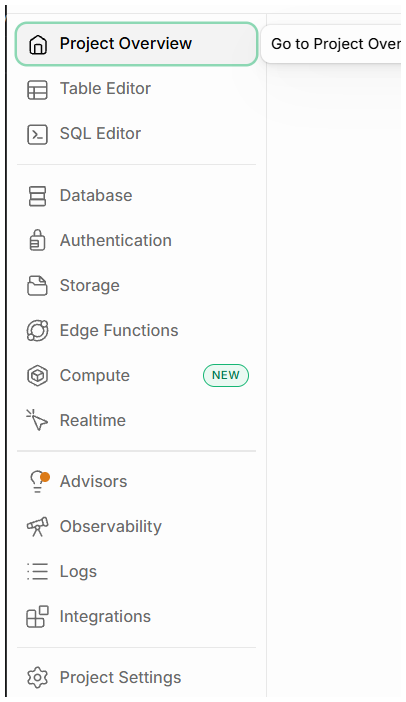
Dashboard
- Table Editor: view/edit data like a spreadsheet
- SQL Editor: run code
- Authentication: users
- Storage: files
- Project Settings → API Keys: connection details
Project Overview panel in Supabase.
Create a new project page.